

Artificial intelligence has become an essential part of how we work, learn, and create. From writing emails and generating images to coding software and researching topics, AI tools can save time and improve productivity. The challenge is deciding which ones are actually worth using.
This guide highlights the best AI tools in 2026 based on ease of use, features, value, and real-world performance. Whether you are a student, developer, content creator, or business owner, these tools can help you work smarter.
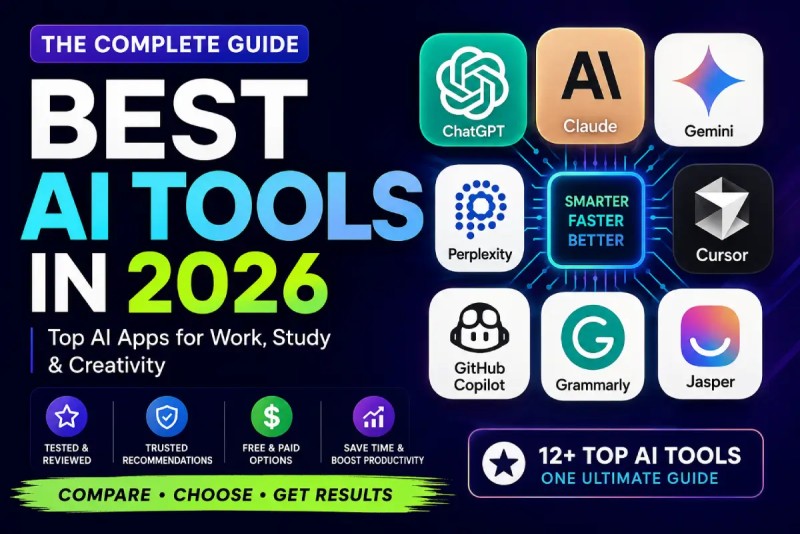
Quick Picks
- Best Overall: ChatGPT
- Best for Writing: Claude
- Best for Research: Perplexity
- Best for Coding: Cursor
- Best for Design: Canva AI
- Best for Images: Midjourney
- Best for Video: Runway
- Best for Productivity: Notion AI
The Best AI Tools in 2026
1. ChatGPT
Best for: Everyday AI assistance
ChatGPT remains the most versatile AI tool available. It can write content, explain concepts, generate code, summarize documents, and help with brainstorming. The free version is powerful enough for most users, while paid plans unlock advanced models and additional features.
Pricing: Free with paid plans available.
2. Claude
Best for: Writing and document analysis
Claude stands out for producing natural, well-structured writing. It performs especially well when editing articles, reviewing long documents, or explaining complex topics. If writing is a major part of your work, Claude is an excellent companion.
Pricing: Free with premium plans.
3. Google Gemini
Best for: Google Workspace users
Gemini integrates seamlessly with Gmail, Docs, Sheets, and Drive. It helps summarize emails, generate content, and organize information without leaving Google's ecosystem. It is a great choice for students and professionals who already rely on Google services.
Pricing: Free with premium features.
4. Perplexity
Best for: Research and fact checking
Perplexity combines AI with web search to provide answers supported by source citations. It is ideal for researching topics, comparing products, and finding reliable information quickly. It complements ChatGPT rather than replacing it.
Pricing: Free with Pro plan.
5. Cursor
Best for: Software development
Cursor is one of the best AI-powered code editors available today. It understands your project, helps generate code, explains functions, and assists with debugging. Developers looking to improve productivity should give it a try.
Pricing: Free with Pro plans.
6. GitHub Copilot
Best for: Faster coding
GitHub Copilot helps developers write code faster by suggesting functions, completing repetitive code, and generating tests. It integrates directly into popular code editors, making it a valuable tool for both beginners and experienced developers.
Pricing: Free for eligible users with paid plans available.
7. Canva AI
Best for: Graphic design and presentations
Canva AI makes it easy to create social media posts, presentations, marketing materials, and images without professional design experience. Its templates and AI-powered editing tools make content creation much faster.
Pricing: Free with Canva Pro.
8. Midjourney
Best for: AI image generation
Midjourney consistently produces high-quality AI artwork with impressive detail and creativity. Designers, marketers, and digital artists often choose it for concept art, illustrations, and promotional visuals.
Pricing: Paid subscription.
9. Runway
Best for: AI video creation
Runway simplifies video editing with features like text-to-video generation, background removal, and AI-powered effects. It is a popular choice for YouTubers, marketers, and content creators who want to produce professional-looking videos in less time.
Pricing: Free with paid plans.
10. Notion AI
Best for: Productivity and note taking
Notion AI helps organize notes, summarize meetings, generate content, and answer questions from your workspace. If you already use Notion for projects or documentation, its AI features can significantly improve your workflow.
Pricing: Free with optional AI add-on.
How to Choose the Right AI Tool
The best AI tool depends on your needs. If you want an all-in-one assistant, start with ChatGPT. Writers may prefer Claude, while researchers will benefit from Perplexity. Developers should consider Cursor or GitHub Copilot, and content creators will appreciate Canva AI, Midjourney, and Runway.
You do not need every AI tool on this list. Start with one or two that match your workflow, then expand your toolkit as your needs grow.
Final Verdict
AI tools continue to evolve rapidly, but a few have clearly established themselves as leaders. ChatGPT remains our top overall recommendation because of its versatility and ease of use. Claude excels at writing, Perplexity makes research faster, Cursor improves coding productivity, and Canva AI simplifies design for everyone.
The best approach is to choose tools that solve real problems rather than chasing every new release. By building a small, reliable AI toolkit, you can save time, improve productivity, and focus on the work that matters most.
At UseAI.in, we regularly test the latest AI tools and publish honest reviews, tutorials, and comparisons to help you stay ahead in the fast-moving world of artificial intelligence.